How to Schedule Social Media Posts for Multiple Countries: A Complete Guide
Managing social media accounts across different countries can be challenging, especially when your audience lives in different time zones. A post published at the perfect time in the United States might go live in the middle of the night for followers in the United Kingdom, Australia, or Japan.
That is why learning how to schedule social media posts for multiple countries is essential for businesses, bloggers, content creators, and digital marketers who want to reach a global audience.
Instead of manually publishing content throughout the day, you can use social media scheduling tools, time zone converters, and audience analytics to plan your content in advance. With the right strategy, you can maintain a consistent posting schedule, save time, and improve engagement across international markets.
In this guide, you will learn how to schedule posts for different countries, choose the best publishing times, use scheduling tools effectively, and build a global social media strategy that works.
Why Scheduling Social Media Posts for Multiple Countries Matters
Every country has different daily routines, working hours, and social media habits. Your audience in Pakistan may be active during the evening, while your followers in the United States may be most engaged during their morning commute or lunch break.
Publishing content without considering these differences can cause your posts to receive less attention than they deserve.
Here are some important benefits of scheduling social media posts internationally:
- Reach audiences at the right time: Publish content when followers in each target country are more likely to be online.
- Save time: Prepare several posts in one session instead of publishing manually every day.
- Maintain consistency: Keep your accounts active across multiple platforms and markets.
- Improve engagement opportunities: Give more people a chance to see, like, comment on, and share your content.
- Support international marketing campaigns: Coordinate promotions, product launches, and announcements across different regions.
A well-planned schedule helps you manage your global presence without spending the entire day switching between time zones.
Step 1: Identify Your Target Countries and Audiences
Before scheduling content, decide which countries you want to reach.
For example, a blogger or online business might target:
- United States
- United Kingdom
- Canada
- Australia
- Pakistan
- Japan
Each market may have different content preferences, languages, holidays, and peak activity periods.
Start by reviewing your social media analytics. Platforms such as Instagram, Facebook, TikTok, LinkedIn, and YouTube offer audience insights that can help you understand where your followers are located and when they are active.
Create a simple list of your target countries and record the following information:
| Country | Main audience consideration |
|---|---|
| United States | Multiple time zones; identify your primary region |
| United Kingdom | Account for local time and seasonal clock changes |
| Canada | Consider regional time zones and audience locations |
| Australia | Account for different time zones across states |
| Pakistan | Use Pakistan Standard Time (PKT) as your local reference |
| Japan | Use Japan Standard Time (JST) for local campaigns |
You do not necessarily need a separate account for every country. If your audience shares a language and similar interests, one account with carefully scheduled content may be sufficient.
Step 2: Understand Time Zones Before Scheduling Posts
Time zone differences are one of the biggest challenges in international social media management.
For example, Pakistan Standard Time (PKT) is UTC+5, while Japan Standard Time (JST) is UTC+9. Japan is normally four hours ahead of Pakistan.
However, the difference between Pakistan and countries such as the United States, Canada, and Australia can vary depending on the region and daylight saving time.
This means that a publishing time that works today might shift relative to your audience later in the year.
Example of International Posting Times
Suppose you want to publish a post at 9:00 AM in each target country’s local time. You should schedule each post according to the relevant local time rather than using the same clock time everywhere.
| Target market | Example local posting time |
|---|---|
| United States | 9:00 AM in the selected US time zone |
| United Kingdom | 9:00 AM UK local time |
| Canada | 9:00 AM in the selected Canadian time zone |
| Australia | 9:00 AM in the selected Australian time zone |
| Japan | 9:00 AM Japan local time |
These are example scheduling targets, not guaranteed peak engagement times. Your analytics should determine the final publishing schedule.
Pro tip: Always confirm whether your scheduling tool uses your local time zone, the account’s time zone, or the time zone selected for an individual post.
Step 3: Use a Global Social Media Posting Time Calculator
Manually converting time zones can become confusing when you manage multiple countries. A global social media posting time calculator can make this process easier.
Instead of repeatedly searching for the current time in different countries, use a calculator to compare local times and identify suitable publishing windows.
A useful tool should help you:
- Convert a planned publishing time between countries.
- Compare local times in different regions.
- Avoid scheduling posts during inconvenient hours.
- Plan campaigns across international markets.
- Coordinate your content calendar with your audience’s local time.
If you manage a blog, business page, or several social media accounts, a time conversion tool can simplify your workflow and reduce scheduling mistakes.
Try the Global Social Media Posting Time Calculator:
https://regenrationera.blog/global-posttime-finder/
Use it to compare posting times before adding your content to a scheduling calendar.
Step 4: Choose the Right Social Media Scheduling Tool
Once you understand your target markets and time zones, choose a scheduling platform that fits your workflow.
Several popular tools offer content calendars, automated publishing, or platform-specific scheduling features.
1. Buffer
Buffer is useful for creators, bloggers, and small businesses that want to plan and organize content across supported social media platforms.
Its scheduling features can help you prepare posts in advance and maintain a consistent publishing routine.
2. Hootsuite
Hootsuite provides social media management features for teams and businesses handling multiple accounts. It can help organize publishing schedules and coordinate content across supported platforms.
Global Social Media Posting Time Calculator – Free Tool
3. Later
Later is particularly useful for visually planning social content, especially for platforms where images and short-form videos play an important role.
4. Meta Business Suite
Meta Business Suite allows eligible users to manage Facebook and Instagram content, including scheduling supported posts and Reels.
It is a practical starting point for businesses that primarily publish on Meta platforms.
5. Native Platform Scheduling
Some platforms provide their own scheduling features. YouTube Studio, for example, allows creators to schedule videos for future publication.
Native scheduling can be a good option if you mainly use one platform or want to avoid unnecessary software subscriptions.
How to choose: Compare supported platforms, time zone settings, publishing limits, analytics, collaboration features, and pricing before selecting a tool. Feature availability can vary by account type and subscription plan.
Step 5: Find the Best Posting Times for Each Country
There is no single posting time that guarantees the best engagement in every country. The ideal schedule depends on your audience, content type, platform, and industry.
Instead of relying entirely on generic recommendations, use a combination of audience analytics and testing.
Follow these steps:
- Open the analytics or insights section of your social media account.
- Identify your most important audience locations.
- Check when your followers are most active, where that information is available.
- Select two or three promising posting windows in each target market.
- Publish similar types of content during those windows.
- Compare reach, engagement, clicks, and conversions.
- Adjust your schedule based on the results.
For example, if your Instagram audience in the United Kingdom responds well to evening posts, test that time period for several weeks. If your US audience is more engaged during the morning, create a separate schedule for that market.
Remember that the best time for educational content may differ from the best time for entertainment, product promotions, or breaking news.
Free Tool to Calculate Social Media Posting Times Worldwide
Step 6: Build a Multi-Country Content Calendar
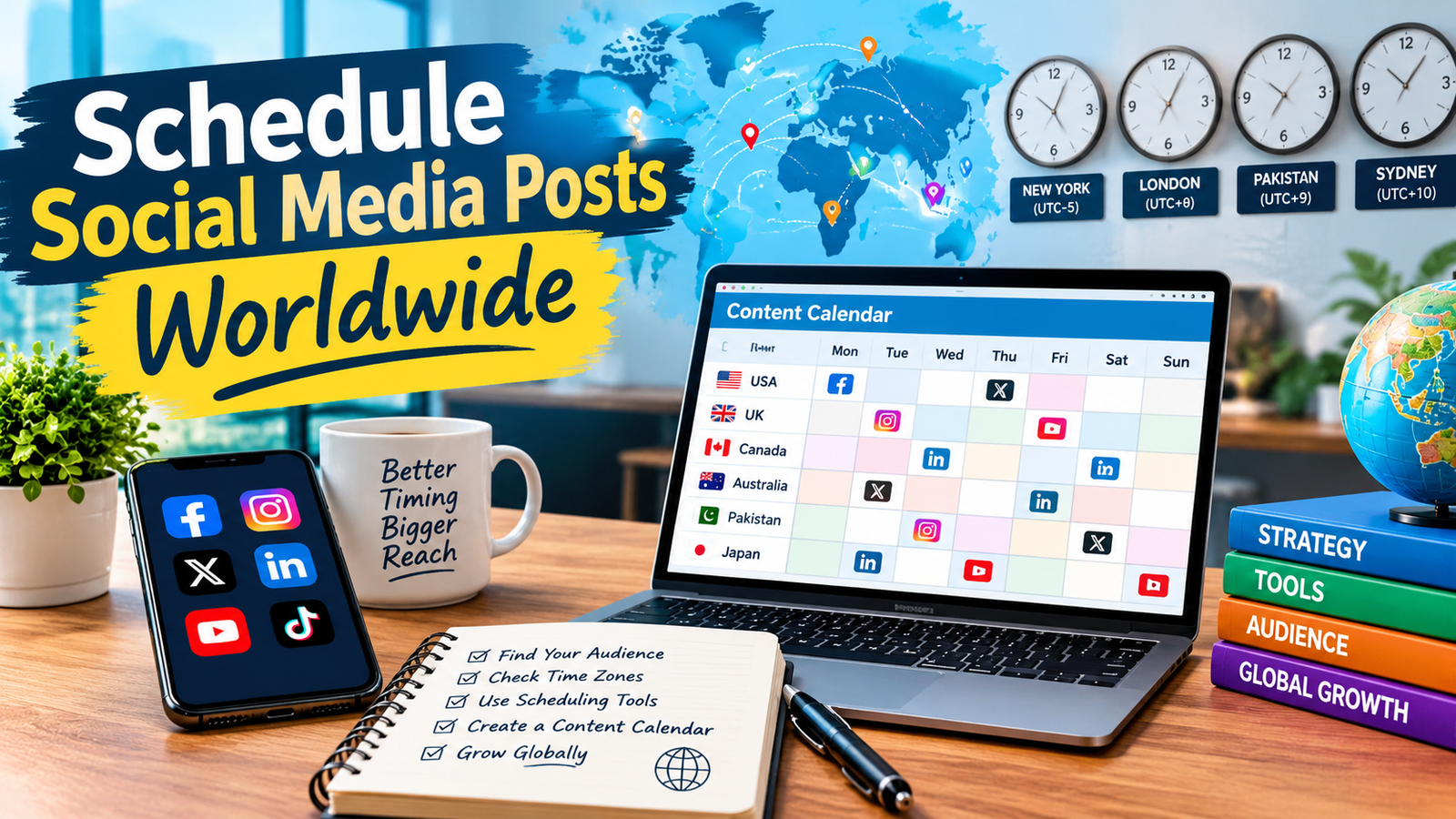
A content calendar helps you plan what to publish, where to publish it, and when each post should go live.
For international campaigns, your calendar should include the target country and its local publishing time.
Here is an example:
| Day | Target country | Content idea | Local posting time |
|---|---|---|---|
| Monday | United States | Educational tip | 9:00 AM |
| Tuesday | United Kingdom | Blog promotion | 6:00 PM |
| Wednesday | Canada | Short-form video | 12:00 PM |
| Thursday | Australia | Product or service highlight | 7:00 PM |
| Friday | Japan | Visual or educational post | 8:00 PM |
These times are illustrative starting points, not universal recommendations. Select the appropriate time zone within each country and adjust the schedule using your own analytics.
Your calendar can also track captions, hashtags, image files, destination URLs, campaign names, and publishing status.
Planning this information in one place reduces errors and makes it easier to coordinate content across platforms.
Step 7: Customize Content for Different Countries
Scheduling is only one part of a successful international strategy. Your content should also feel relevant to the audience receiving it.
Consider adapting the following elements:
Language: Use the language your target audience understands. Translate captions carefully and review culturally specific expressions.
Dates and times: Display dates, currencies, measurements, and event times in formats familiar to the local audience.
Cultural events: Consider relevant holidays, festivals, seasonal events, and shopping periods.
Visuals: Use imagery that fits the preferences and expectations of your target market.
Calls to action: Make sure links, offers, and instructions work for people in the selected country.
For example, a business targeting the United States and the United Kingdom might publish the same core message but adjust spelling, seasonal references, and promotional details.
You do not need to create completely different content for every market. Start with one strong piece of content and adapt it where meaningful.
Step 8: Automate Your Social Media Publishing Workflow
Automation can reduce repetitive tasks and help you maintain a consistent global publishing schedule.
A simple workflow looks like this:
- Create your content in batches.
- Prepare platform-specific captions and visual assets.
- Identify the target country for each post.
- Convert the intended publishing time into the correct time zone.
- Add the post to your scheduling platform.
- Preview the scheduled post and confirm its publication time.
- Monitor performance after publication.
You can batch-create a week’s worth of posts in one session and schedule them for different regions.
However, automation should not replace quality control. Check important links, captions, image crops, platform requirements, and scheduled dates before publishing.
For time-sensitive announcements, breaking news, or major promotions, review your scheduled posts before they go live.
Step 9: Avoid Common International Scheduling Mistakes
Even experienced marketers can make mistakes when publishing across multiple countries.
Using One Time Zone for Every Audience
Scheduling all posts according to your own local time can cause them to appear at inconvenient hours elsewhere.
Solution: Label every scheduled time with its intended time zone.
Ignoring Daylight Saving Time
Some countries adjust their clocks seasonally, while others do not. This can change the time difference between your location and your audience.
Solution: Use a scheduling tool that handles time zones appropriately, and review important campaigns when clocks change.
Publishing Identical Content Everywhere
The same caption or offer may not be suitable for every audience.
Solution: Localize important details while maintaining a consistent brand identity.
Posting Too Frequently
Scheduling makes it easy to publish more content than your audience wants to see.
Solution: Prioritize useful content and monitor engagement, unfollows, and audience feedback.
Forgetting to Check Scheduled Posts
A post can contain a broken link, incorrect date, outdated offer, or poorly cropped image.
Solution: Review your calendar regularly and check important posts before publication.
Ignoring Performance Data
A schedule that worked last month may not perform equally well this month.
Solution: Review results regularly and update your posting times based on real audience behavior.
Step 10: Measure and Improve Your Global Posting Strategy
Once your posts are scheduled and published, evaluate their performance.
Important metrics include:
- Reach: How many people saw your content.
- Impressions: How many times your content was displayed.
- Engagement rate: How people interacted with your posts.
- Link clicks: How many users visited your website or landing page.
- Conversions: How many users completed a desired action.
- Follower growth: How your audience changes over time.
Compare performance by country, platform, content type, and posting time.
For example, a post published at 8:00 PM in one market may generate more website visits than a similar post published at noon. Test different windows and review the results over a meaningful period before making major changes.
If your primary goal is blog traffic, prioritize link clicks and relevant website visits rather than judging success only by likes.
The objective is not simply to publish more often. It is to reach the right people with useful content at an appropriate time.
A Simple Weekly Workflow for Managing Multiple Countries
If you are new to international social media scheduling, start with a manageable routine.
Monday: Plan your content. Choose your topics, prepare captions, and identify the countries you want to target.
Tuesday: Create your assets. Design images, edit videos, and prepare links for each platform.
Wednesday: Research posting times. Review audience insights and compare local time zones.
Thursday: Schedule your posts. Add content to your selected scheduling tool and double-check publication times.
Friday: Review performance. Examine the results of previous posts and identify improvements for the following week.
You can repeat this workflow every week and gradually expand it as your audience grows.
Frequently Asked Questions
1. How can I schedule social media posts for multiple countries?
Choose a scheduling platform that supports your social media accounts, identify your target countries, research their time zones, and schedule each post for an appropriate local publishing time. Use audience analytics to refine your schedule.
2. What is the best tool for scheduling social media posts internationally?
The best tool depends on your platforms and budget. Buffer and Hootsuite offer social media management features, Later supports visual planning, and Meta Business Suite is useful for eligible Facebook and Instagram accounts. Compare their current features before choosing.
3. Can I schedule posts in different time zones automatically?
Many scheduling tools support time zone-aware scheduling, but the exact behavior varies. Confirm whether the tool interprets your chosen time as your local time, account time, or target market time.
4. What is the best time to post on social media worldwide?
There is no universal best time. The ideal publishing window depends on the platform, audience location, content type, and individual audience behavior. Use analytics and testing to identify suitable times.
5. Should I create separate social media accounts for each country?
Not always. One account can work well when audiences share a language and similar interests. Separate accounts may be useful when countries require different languages, customer support, offers, or content strategies.
6. How do I convert social media posting times between countries?
Use a reliable time zone converter or global posting time calculator. Enter the original date, time, and time zone, then compare the corresponding local time in your target country. Check daylight saving changes for the relevant date.
7. How often should I review my international posting schedule?
Review performance at least monthly, or more frequently during a new campaign. Revisit your schedule when audience behavior changes, your target markets expand, or seasonal time changes affect publishing times.
Conclusion
Learning how to schedule social media posts for multiple countries can help you manage international audiences more efficiently, maintain a consistent publishing routine, and improve your opportunities for engagement and website traffic.
Start by identifying your target countries, understanding their time zones, selecting an appropriate scheduling tool, and creating a content calendar. Then use audience analytics to test posting times and refine your strategy.
You do not need an expensive or complicated system to get started. A clear content calendar, a reliable scheduling tool, and a consistent review process can make a significant difference.
Ready to plan your next global campaign? Use the Global Social Media Posting Time Calculator to compare posting times across countries and make your international content planning easier.